Project Management for the agent era
A place for tasks, ideas, plans, and docs — open in your browser, drive it from your terminal, or hand off to your AI agent. For developers, job-seekers, researchers — anyone with an AI agent helping them work.
How do you want to use Pad?
Connect Pad to your AI agent in 30 seconds.
Sign in once and your agent talks to your Pad workspaces — no CLI, no install, no local server.
https://mcp.getpad.dev Claude Desktop
- 1. Settings → Connectors
- 2. Add custom connector
- 3. Paste
https://mcp.getpad.devand sign in
Cursor
- 1. Settings → MCP servers
- 2. Add server
- 3. Paste
https://mcp.getpad.devand sign in
ChatGPT
- 1. Settings → Connectors
- 2. Add custom connector
- 3. Paste
https://mcp.getpad.devand sign in
Availability varies by plan / admin policy — see the setup guide.
Or connect via a CLI agent
Don't have a Pad account? Sign up happens as part of connecting — no extra step.
These aren't mutually exclusive — start with one, mix as you go.
Pad is built with Pad
Every number here is real, from the workspace where Pad is developed.
What Pad tracks for its own development · as of July 2026
Everything you need, nothing you don't
Pad replaces scattered tools with one cohesive system that works for humans and AI alike.
Web UI
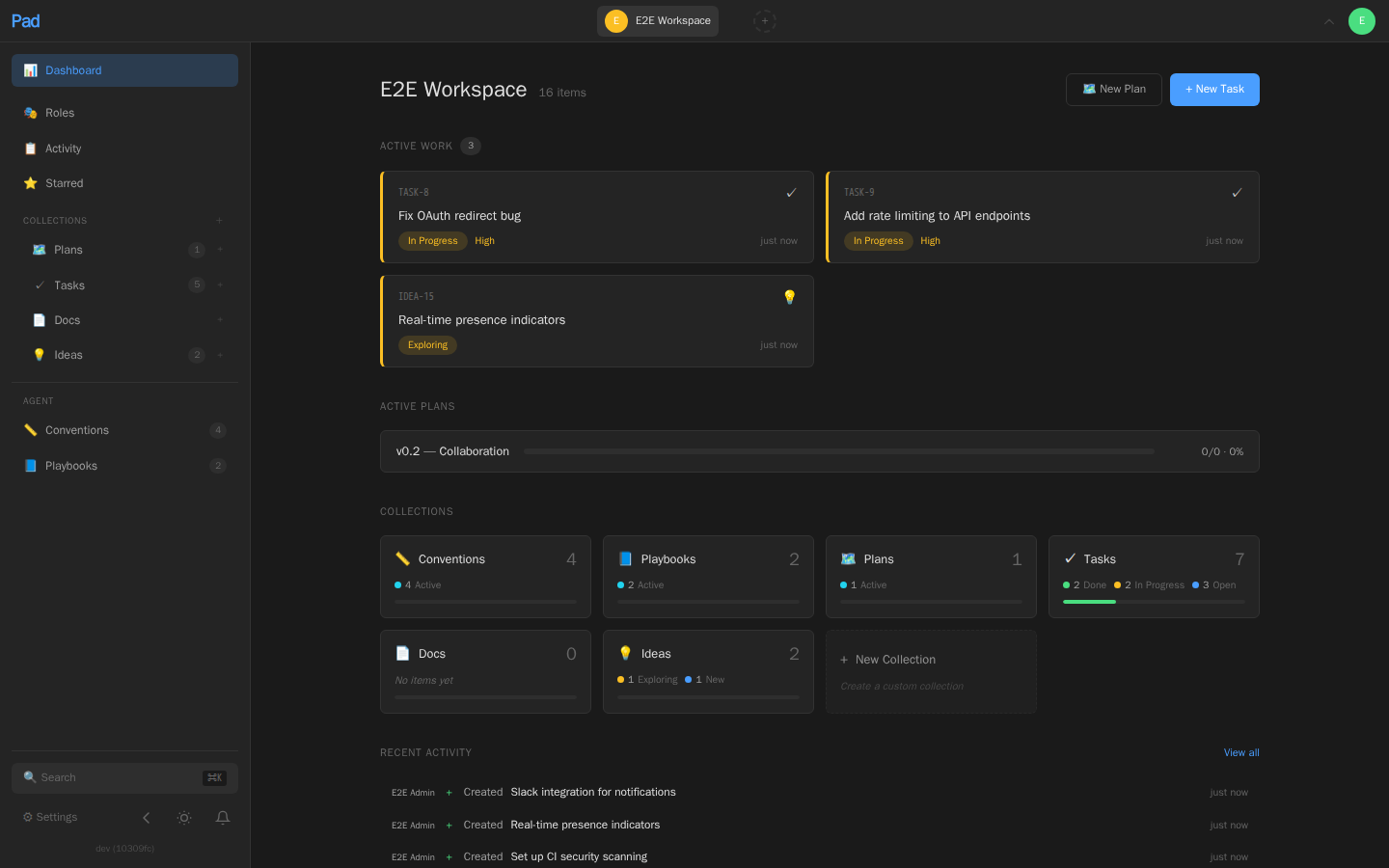
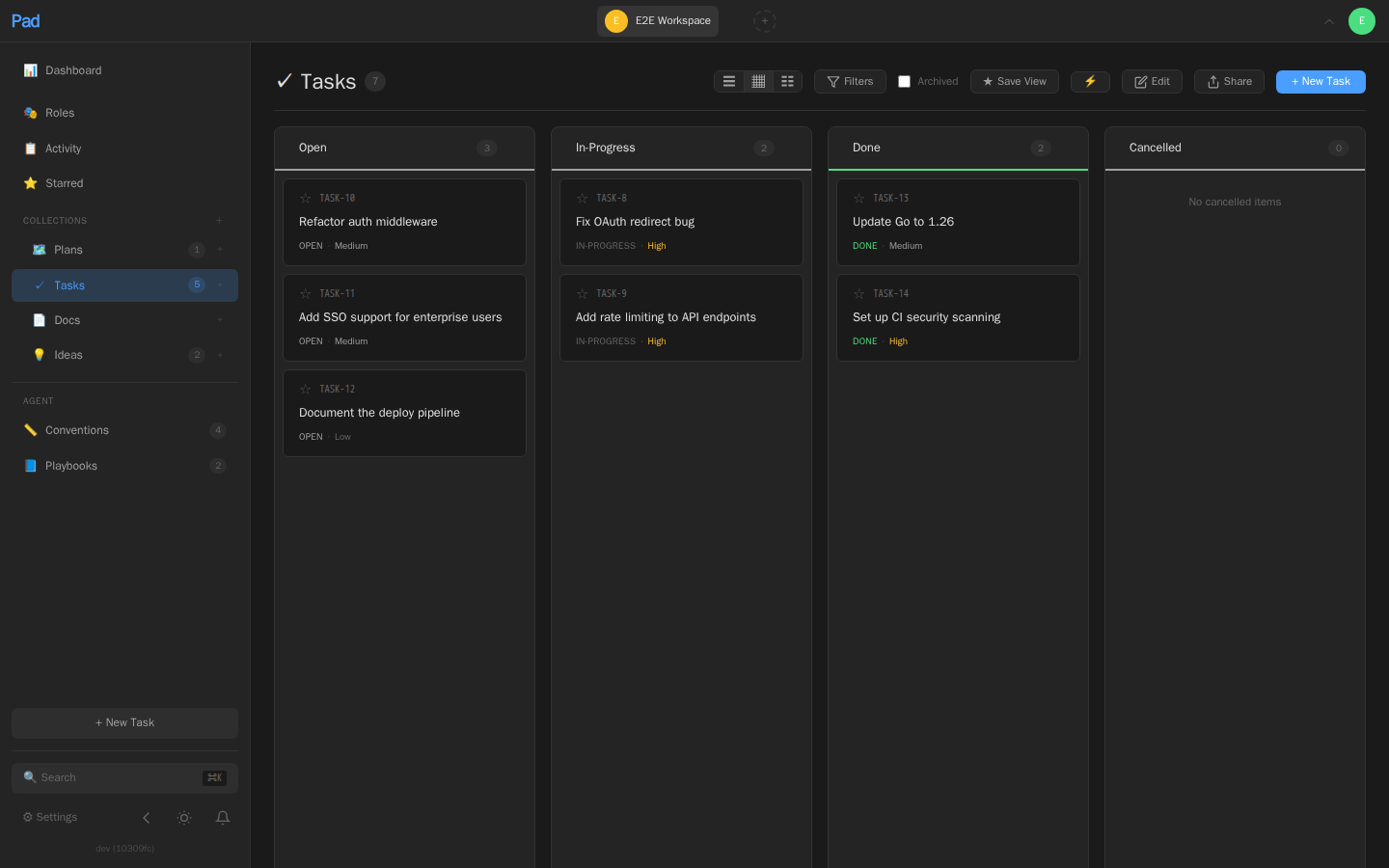
Board views, list views, rich-content item detail with comment threads, keyboard shortcuts, and real-time updates across the team.
Command line
Every action is a command. Standup reports, changelogs, dependency tracking, bulk operations, real-time watch — scriptable and automatable from your shell.
Built-in AI skill
/pad works in Claude Code, Cursor, Codex, Windsurf, OpenCode, Copilot, and Amazon Q. Manage your project through natural conversation.
Collections & Schemas
Tasks, ideas, plans, docs — or define your own. Typed fields, custom workflows, saved views.
GitHub Integration
Link PRs to items with `pad github link`. Auto-detects refs from branch names. See PR status across your project.
Conventions & Playbooks
Teach your AI agents project-specific rules. They follow them automatically. The project teaches the agent.
See it in action
Real screens from the Pad app, captured from a working project.
Built for AI agents
Pad ships with a /pad skill that works with Claude Code, Cursor, Windsurf, Codex, GitHub Copilot, and more.
Your AI agent can create tasks, update statuses, create plans, and query your
project — all through natural conversation.
Define conventions and playbooks to teach agents your project's rules. They follow them automatically, keeping your workflow consistent whether you or the AI is driving.
One /pad ship run — nine fixes implemented, tested, reviewed, and merged. Pad tracked every one.
Free and open source
Pad is Apache 2.0 licensed and local-first. Your data lives on your machine in a SQLite database you fully control. Optional user accounts with roles, API tokens, and HMAC-signed webhooks for team setups. No telemetry, no lock-in.
Pad Cloud
Don't want to self-host? Pad Cloud is the managed version — sync across devices, collaborate with your team, automated backups. Same Pad, hosted for you.
The free tier includes 5 workspaces, 1,000 items per workspace, and up to 3 collaborators. A paid plan is available if you outgrow it.