
Every team has rules.
Run the tests before marking a task done. Use conventional commits. Don’t deploy on Friday afternoons. Always update the changelog when you ship a feature. Run make install after touching the backend.
These rules live in three places: senior engineers’ heads, a CONTRIBUTING.md nobody reads, and the AI agent prompts you copy-paste at the start of every session.
Pad gives them a fourth home — and a much better one.
The pitch
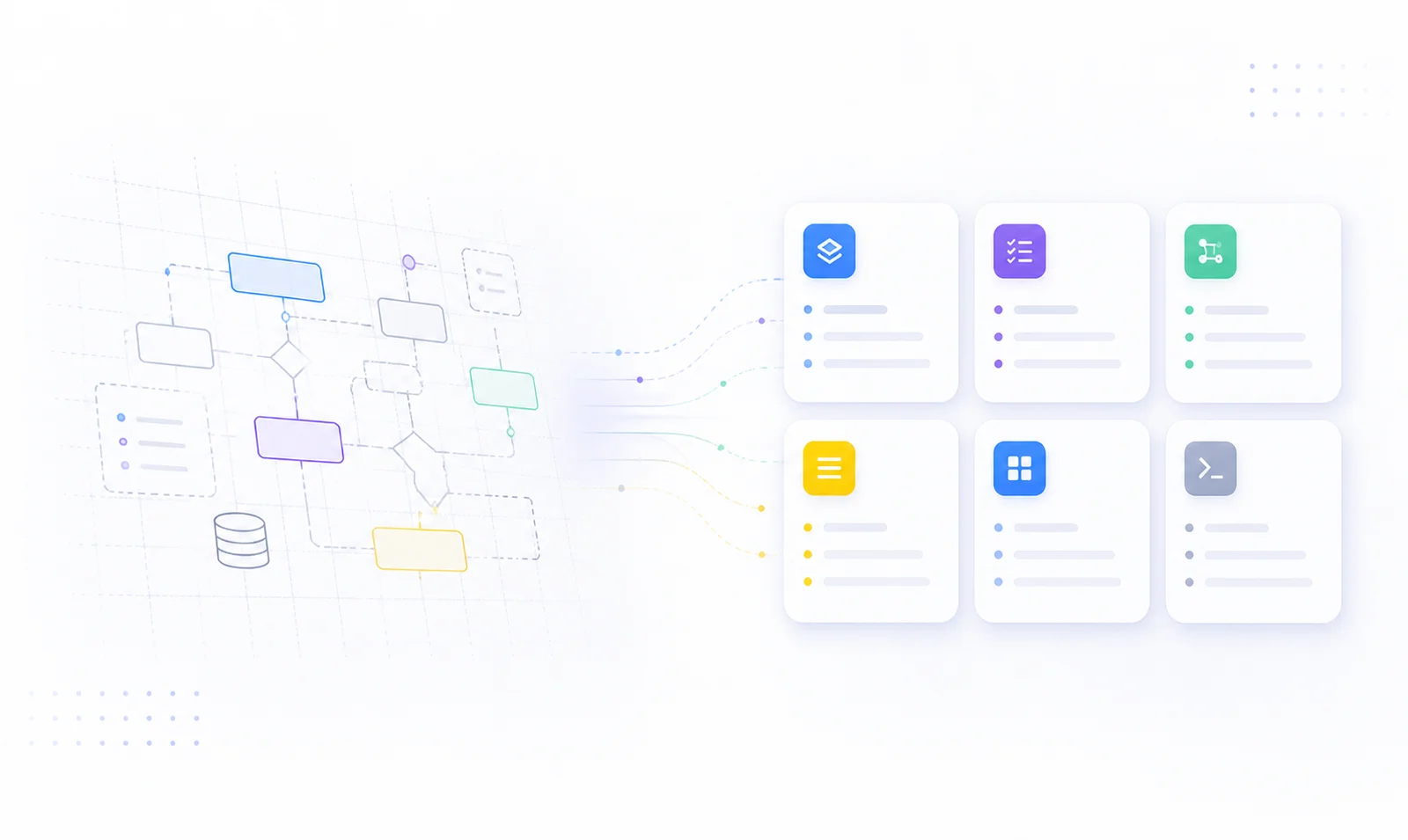
A convention is a one-line rule with a trigger. A playbook is a multi-step workflow. Both live in your Pad workspace as first-class items.
When an agent is about to do something — start a task, finish a task, write a commit, open a PR — the /pad skill loads the matching conventions and playbooks first, then proceeds.
The result: your team’s rules go from tribal knowledge to enforced, version-controlled, automatic behavior. Write the rule once; every agent obeys.
A convention, end to end
Here’s the entire lifecycle.
pad item create convention "Run tests before completing tasks"
  --field trigger=on-task-complete
  --field priority=must
  --field scope=all
That’s it. The convention is now active. The next time any AI agent in your project is about to mark a task as done, the /pad skill loads conventions matching trigger=on-task-complete and follows them. Must-priority conventions are non-negotiable; should conventions are recommendations.
Six fields define a convention’s behavior:
| Field | What it does |
|---|---|
status | active (loaded by agents), draft (work in progress), or disabled (kept around but ignored) |
trigger | When the convention fires: always, on-task-start, on-task-complete, on-implement, on-commit, on-pr-create, on-plan, on-plan-start, on-plan-complete |
priority | must (enforced), should (recommended), nice-to-have (optional) |
scope | all, backend, frontend, mobile, docs, devops — the agent loads only conventions matching the work being done |
role | Optional. Restrict to a specific agent role (e.g. implementer, reviewer) |
content | Free-form Markdown. The actual rule, with examples or rationale if useful |
Five conventions worth stealing
Real ones from our own dogfooding.
1. Run make install after backend code changes.
pad item create convention "Run make install after backend changes"
  --field trigger=on-implement --field priority=must --field scope=backend
Without this, AI-generated code “compiles in the model’s head” but never actually rebuilds the binary you’re testing against. With it, every implementation cycle ends with a real build.
2. Tasks should be PR-sized.
pad item create convention "Tasks should be PR-sized"
  --field trigger=always --field priority=should
The agent decomposes plans into branch-sized work instead of multi-day epics. Pairs well with pad item create task ... --parent PLAN-X.
3. Never reinitialize a database without explicit user approval.
pad item create convention "Never wipe data without confirmation"
  --field trigger=always --field priority=must
A safety rule. Agents will refuse destructive operations until the human signs off — even when “just resetting” looks like the obvious fix.
4. Use conventional commits.
pad item create convention "Use conventional commit format"
--field trigger=on-commit --field priority=shouldfeat:, fix:, chore: discipline becomes automatic. Your release notes downstream group cleanly without anyone editing them.
5. Document related repos in CLAUDE.md.
pad item create convention "Document related repos in CLAUDE.md"
  --field trigger=always --field priority=should
For multi-repo projects, agents starting fresh in one repo learn about the others without you re-explaining each session.
When conventions aren’t enough — playbooks
A convention is a one-liner. A playbook is a recipe.
Use a playbook when the work has steps that must happen in order. Cutting a release. Triaging an incoming bug. Onboarding a new contributor. Reviewing a PR.
pad item create playbook "Cut a release"
  --field trigger=on-release --field scope=all
  --content "1. Bump version in package.json + go.mod
2. Update CHANGELOG from `pad project changelog --since 2026-04-01`
3. Run full test suite
4. Tag v<version> and push
5. Open GitHub Release, paste changelog
6. Announce in #releases"
The next time an agent is asked to “cut a release,” it loads this playbook and walks the steps in order. No more “wait, did you run the tests first?” comments on the PR.
Manage everything from the web UI
If the CLI feels like a lot to remember, the web app makes the same primitives mouse-friendly.
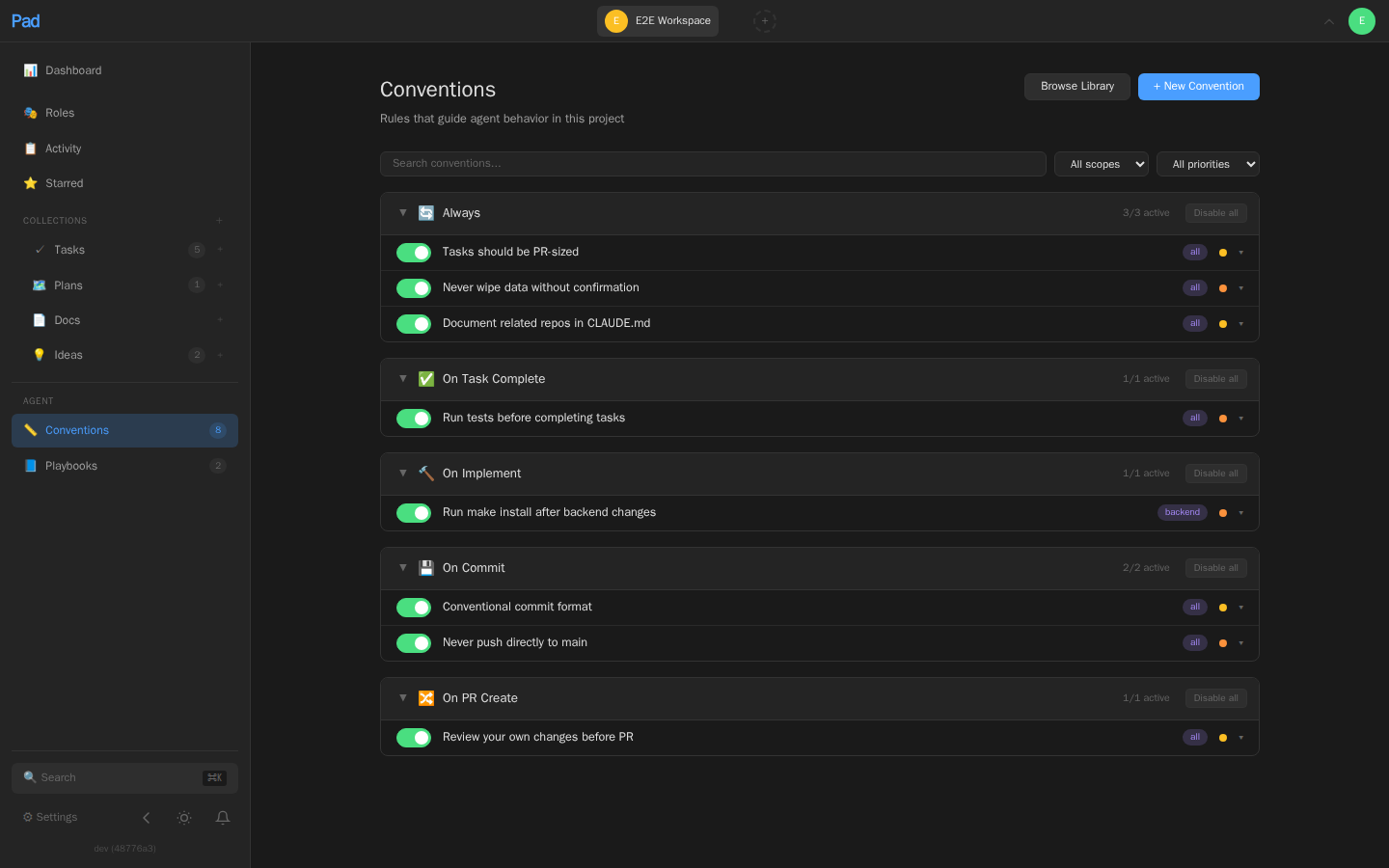
Open http://localhost:7777 (or your Pad Cloud workspace) and head to Conventions in the sidebar. You get:
- Inline create — title, trigger, scope, priority, content, all in one form
- Inline edit — click any convention’s body to revise it without leaving the page
- One-click toggle — flip a convention between
activeanddisabledto take it out of agent rotation without losing its content. Great for “let’s pause this rule for a week and see what happens.” - Bulk toggle by trigger group — disable every
on-pr-createconvention with a single click, then re-enable when you’re done experimenting - Filter — by scope, priority, or full-text search across content
(You’ll notice the screenshot shows a couple of conventions — Conventional commit format, Never push directly to main, Run tests before completing tasks, Review your own changes before PR — that we didn’t create above. Those ship in every workspace’s starter pack. More on that next.)
Same shape for Playbooks, with the trigger list tuned to multi-step events (on-release, on-deploy, on-review, etc.).
The Library: pre-built rules to activate in one click
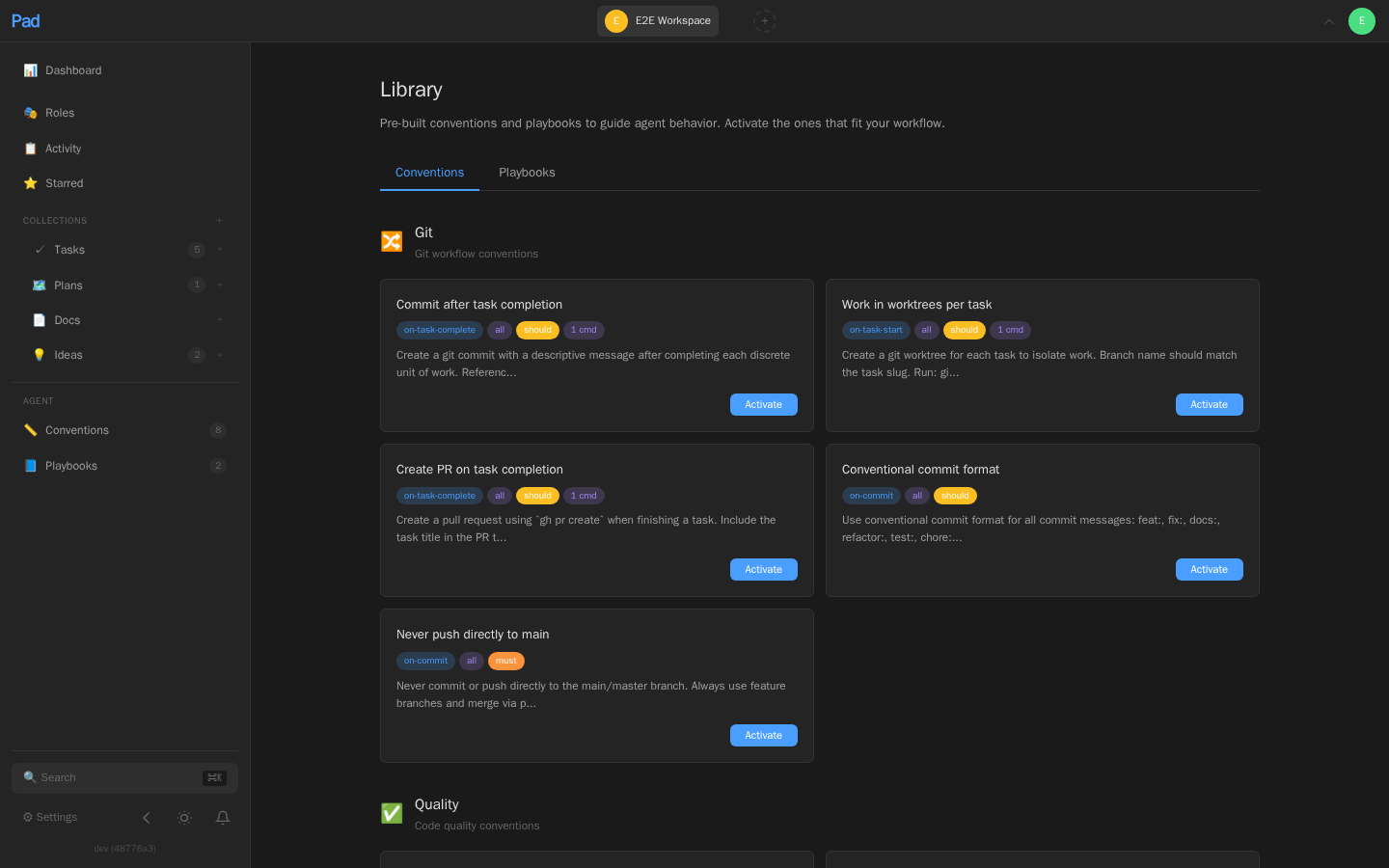
We also ship a curated Library of conventions and playbooks at /<workspace>/library. Browse by category — git, quality, pm, docs, build, workflow, planning, operations — and click Activate to add one to your workspace. The library remembers what you’ve already activated so you don’t double-add.
If you don’t know where to start, the Library is the right place. Activate five things, see which ones your team actually keeps after a week, and prune the rest.
The teach-me loop
The most underrated piece: agents that learn from your corrections.
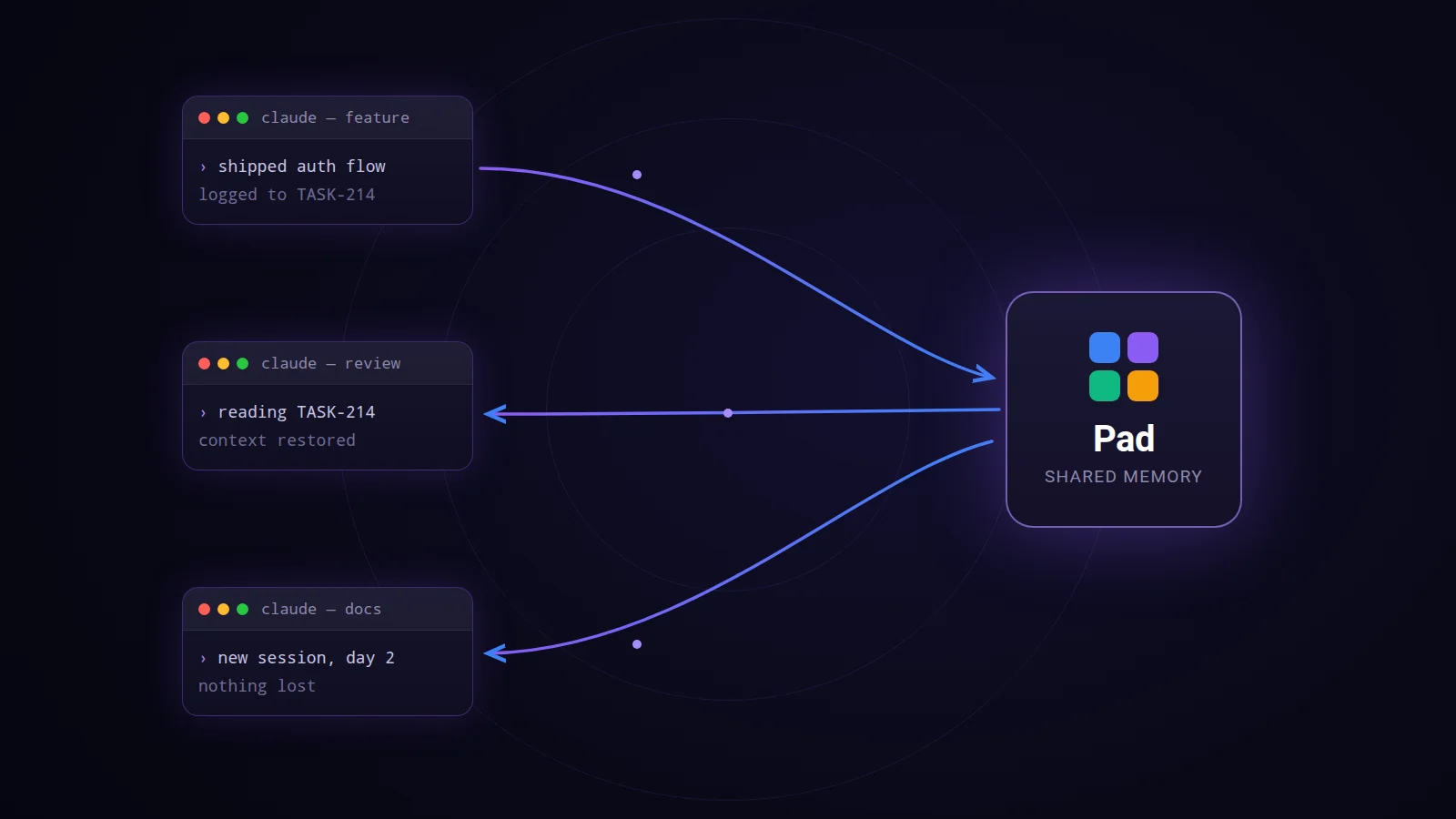
When you tell an AI agent “actually, we always do X” — that correction usually evaporates the moment the conversation ends. Pad’s /pad skill closes the loop. The skill prompt instructs the agent: if a user corrects your behavior, offer to save it as a convention.
In practice it looks like this:
You: Before you commit, always run
make build-goinstead ofmake buildif only Go files changed.Agent: Got it. Want me to save this as a convention so future agents follow it too?
Click yes. Now it’s a convention. Now every agent follows it. Forever.
This is the part that compounds. Most AI tooling forgets between sessions. Pad remembers because it writes the rules into your project, not the agent’s context window.
Try it in 60 seconds
If you’ve got Pad installed:
# 1. List your current conventions (probably the starter pack from your template)
pad item list conventions

# 2. Add one of your team's rules
pad item create convention "Your rule here"
  --field trigger=on-commit --field priority=must

# 3. Open Claude Code and ask
/pad commit my changes
Watch the agent load the convention before doing anything else.
If you don’t have Pad yet:
brew install PerpetualSoftware/tap/pad
pad init
pad agent install claude-code   # or cursor, windsurf, codex, copilot, amazon-q, junie
Then come back to step 1.
Closing thought
Conventions and playbooks aren’t a feature; they’re a bet. The bet is that the right place to encode team knowledge isn’t a wiki, isn’t a CONTRIBUTING.md, isn’t a Notion page nobody opens — it’s the project tracker the agent is already reading.
If that bet is right, the value of every convention compounds with the number of agent-sessions your team runs. We think it is.
If you’ve got a convention that’s saved your team time, we’d love to hear it. Open a discussion on GitHub.