Add Pad to an existing project
Already have a repository? Link it to a Pad Cloud workspace, then let your agent read the project, move your open work into Pad, and propose rules from your Makefile and commit history.
Plays from YouTube
3:55
Transcript
0:00 Introduction
In this tutorial, you'll add Pad to a project that already exists, with years of history and a list of open work. Your agent reads the project, moves the open work into Pad, and turns the habits in your history into rules.
Create the workspace
Sign in at app.getpad.dev. If you're new to Pad, the first tutorial covers creating an account. Choose Create Workspace, and name it after your project. Then add a sentence about what it is: your agent reads it later, when it sets the workspace up. Keep Start blank. Your project already has a shape, and your agent builds the workspace around it. In the connect dialog, choose the CLI tab, and copy the command in step two.
Link your repository
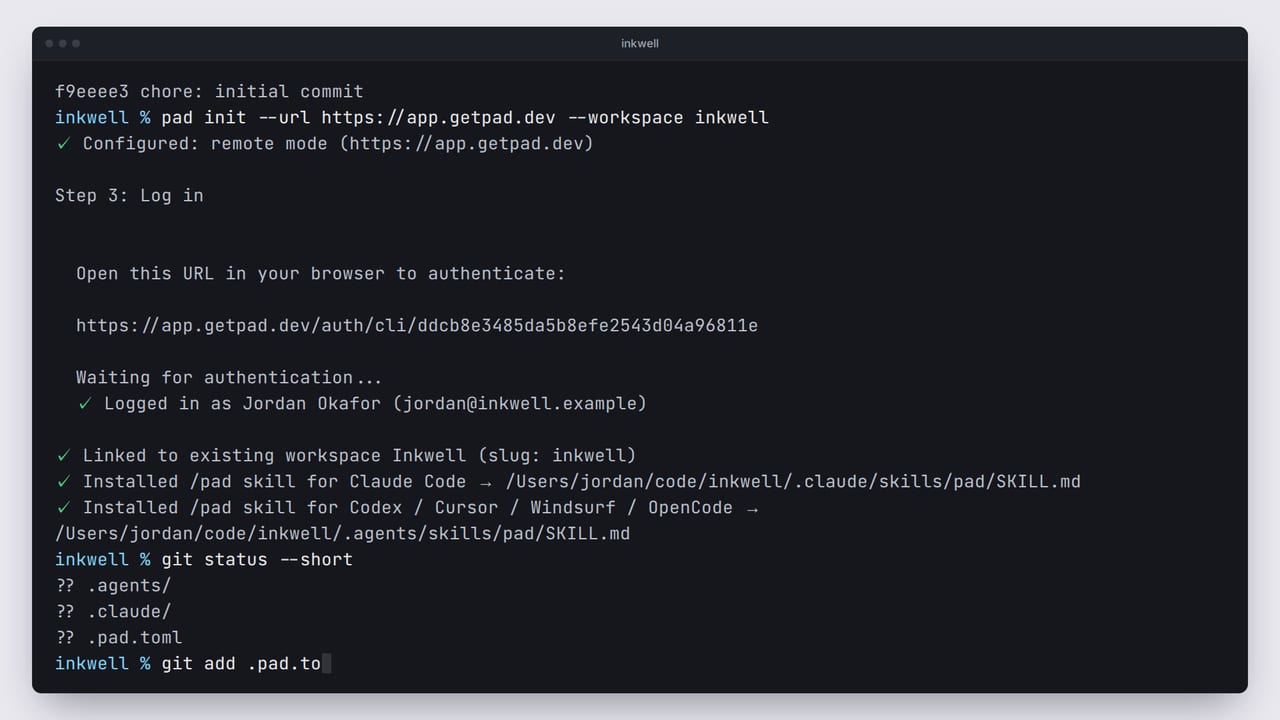
In a terminal, go to your repository. Its history goes back two and a half years. Paste the command. pad init points the command line at Pad Cloud, and asks you to sign in, in your browser. Your browser shows the request. Check that it's your account, and approve, to sign in from the terminal. Back in the terminal, it links this folder to the Inkwell workspace, and installs the /pad skill for your coding agents. Your repository has new files now. git status shows the link file, .pad.toml, and a skill folder for each agent. .pad.toml names the workspace and the server, and holds no secrets. Commit it, so anyone who clones the repository works in the same workspace.
Start onboarding
Now start Claude Code in the same folder, and type /pad onboard. The agent loads the workspace and the onboarding playbook, then looks through your project: the README, the Makefile, and the CI workflow. So it already knows Inkwell is a Go service, tested with make test, before it asks how you work.
Move in your open work
Answer in your own words, and say where your open work lives today. Here, it's a TODO file in the repository. The agent reads it, and proposes collections that fit: tasks for the features, and bugs for the bugs. Pad has no importer for to-do lists or issue trackers. Your agent does the moving instead: one item for each open line, once you say yes. Tell it what comes first, and it sets those to high priority. The finished items stay where they are, in your git history.
Keep your rules
Next, conventions: rules that every agent follows in this workspace. Before proposing any, the agent reads your commit history. Your commits already start with a type, like feat or fix. So it proposes keeping that as a rule, along with running make test before a task is done. Both are rewritten for this project, with the commands Inkwell already uses. Once you agree, it saves them. You work alone, so it skips roles, and you can leave playbooks for later. Run onboarding again any time to add them.
What you have now
In your browser, the open work is on the boards: three tasks and two bugs, with the urgent ones marked high. You now have Pad in an existing project: the repository linked, your open work moved in, and rules that match how you already work. To start on it, open a new session in the same folder, and ask: /pad what should I work on next? Your agent loads the workspace and its rules, and finds the two items you marked first. The next tutorial picks up from here.
Next tutorial
Work through your first taskThe workspace and people in this video are fictional. The screens are Pad's real UI, rendered from code, and the narration is a synthetic voice.
All tutorials