Set up your workspace with /pad onboard
Your coding agent sets up your Pad workspace with you: it asks how you work, then shapes collections, rules and playbooks to match.
Plays from YouTube
2:58
Transcript
0:00 Introduction
In this tutorial, your coding agent sets up your Pad workspace with you. It asks how you work, then shapes the workspace to match. A new workspace opens on this setup page. It suggests the step we're about to take: ask your agent to set it up.
Start onboarding
We pick up where the last tutorial ended: Claude Code is open in the Harborline folder, and you've typed /pad onboard. Before asking anything, the agent loaded the workspace and the onboarding playbook, and read your project. That's how it knows Harborline is a Vite app, tested with Vitest.
Tell it how you work
Answer in your own words: who works on the project, what you want to track, and how you check your work.
Choose collections
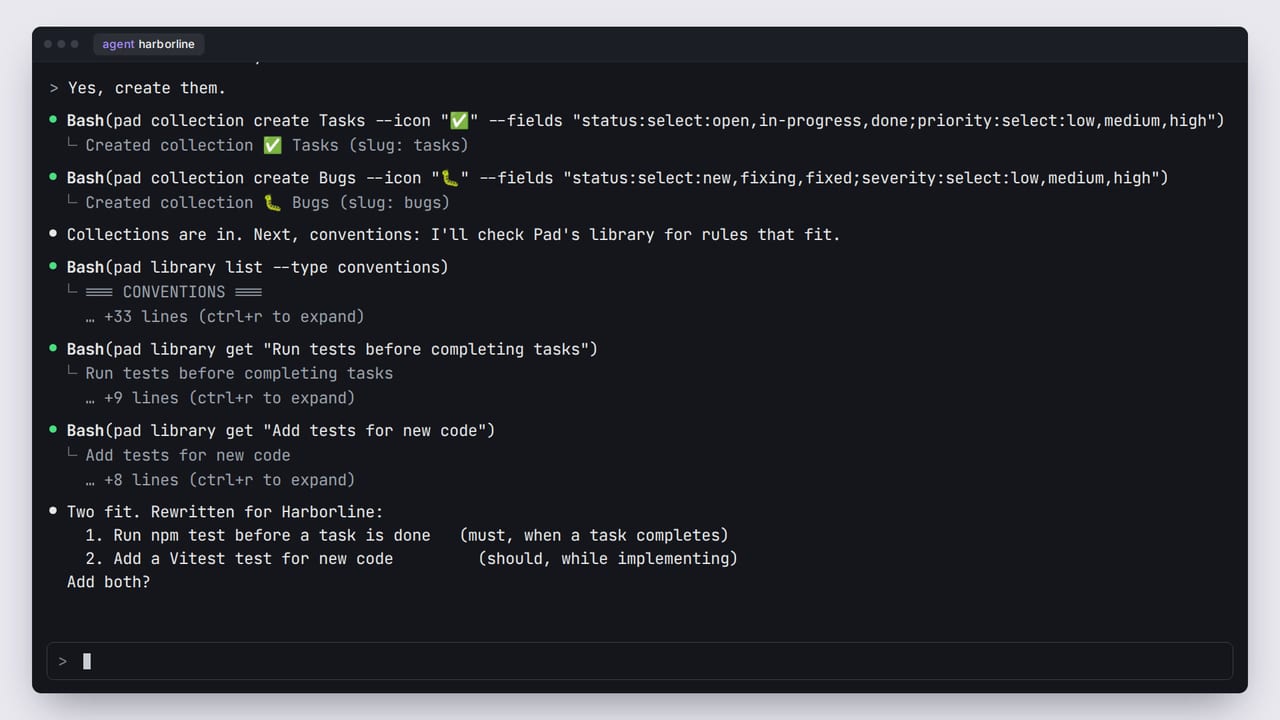
It proposes collections, the kinds of things you track, each with its own statuses. Nothing is created until you agree. Then it makes them, one command each.
Set the rules
Next, conventions: rules that every agent follows in this workspace. The agent looks through Pad's library for ones that fit. It doesn't paste them in. It rewrites each one for your project: “run the tests” becomes npm test, the command Harborline uses. Each rule fires at a moment, like when a task is done. A blank workspace starts with just “always”, so Pad adds each moment the first time a rule uses it, and says so. Your browser shows the new collections and rules in the sidebar, without a reload.
Choose playbooks
You work alone, so it skips roles. They matter when several people or agents split the work. Playbooks are step-by-step workflows you run by name. It turns on plan, for shaping bigger features, and ship, for working through tasks. Then it rewrites ship's build step to use npm, because the library version is written for any project.
Add a first task
Last, it asks what you're working on first, and saves that as a task. Soon after, the setup page in your browser gives way to your dashboard, with no reload. Your task is up next, and recent activity lists every change, each marked as your agent's.
What you have now
The agent ends with a recap. To change anything later, just ask it to set up your workspace again. You now have a Harborline workspace shaped to your project: two collections, two conventions, the plan and ship playbooks, and a first task. To put it to work, start a new session in the same folder, and ask: /pad what should I work on next? Your agent loads the workspace and its rules, and finds your task. The next tutorial picks up from here.
Next tutorial
Work through your first taskThe workspace and people in this video are fictional. The screens are Pad's real UI, rendered from code, and the narration is a synthetic voice.
All tutorials