Plan a feature with /pad plan
Plan a feature with your agent: agree the goal, the scope and a task list, and end up with a plan in Pad and its tasks on your board.
Plays from YouTube
2:14
Transcript
0:00 Introduction
In this tutorial, you plan a feature with your agent, and end up with a plan in Pad and its tasks on your board. Your Tasks board has one task done so far. By the end, the plan's tasks will be here too.
Start the plan
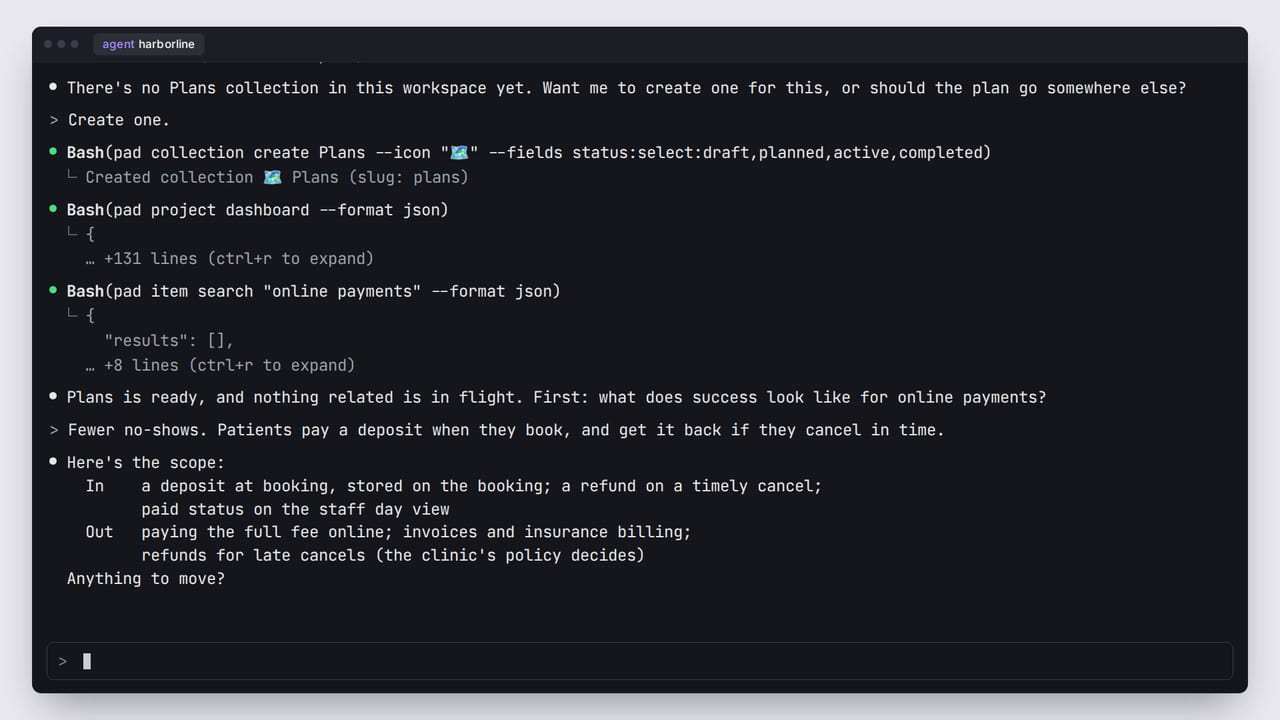
We pick up where the last tutorial ended: you typed /pad plan online payments, and the agent found no Plans collection yet. Say yes, and it creates one, with statuses for a plan's life: draft, planned, active and completed. Then it checks what's already in flight, and searches for anything related.
Agree on the goal and scope
The plan playbook is a conversation. It starts with the goal: what does success look like? Name the outcome, not the activity. Then the scope. What's out of scope is the more useful list, because it stops the plan from quietly growing.
Break it down
The agent proposes a title, then a list of tasks, each about one pull request in size. Nothing is created yet. Approve the list, or say which tasks to keep, drop or merge.
Create the plan
Now it creates the plan, with your goal, scope and task list in its body. Then it offers to turn the list into real tasks. Say yes, and it creates each one under the plan. On your board, the four tasks arrive on their own, each linked to the plan.
Check the plan
Open Plans to find it. The plan's own page holds everything you agreed. Under Relationships, its four tasks are listed, with a count of how many are done.
What you have now
You now have a plan in Pad, with its goal, scope and tasks, ready to work through. Next, ship it. In the same session, type /pad ship PLAN-7. The agent loads the ship playbook, lists the plan's tasks in order, and checks that everything is ready. The next tutorial picks up from here.
The workspace and people in this video are fictional. The screens are Pad's real UI, rendered from code, and the narration is a synthetic voice.
All tutorials